How it works · The parent dashboard
The view you’ll open every morning, evening, and Sunday night.
Pearsight's parent dashboard sorts every assignment from every kid's Canvas account into four collections. Switch lenses without losing your place. Filter without losing the bigger picture.
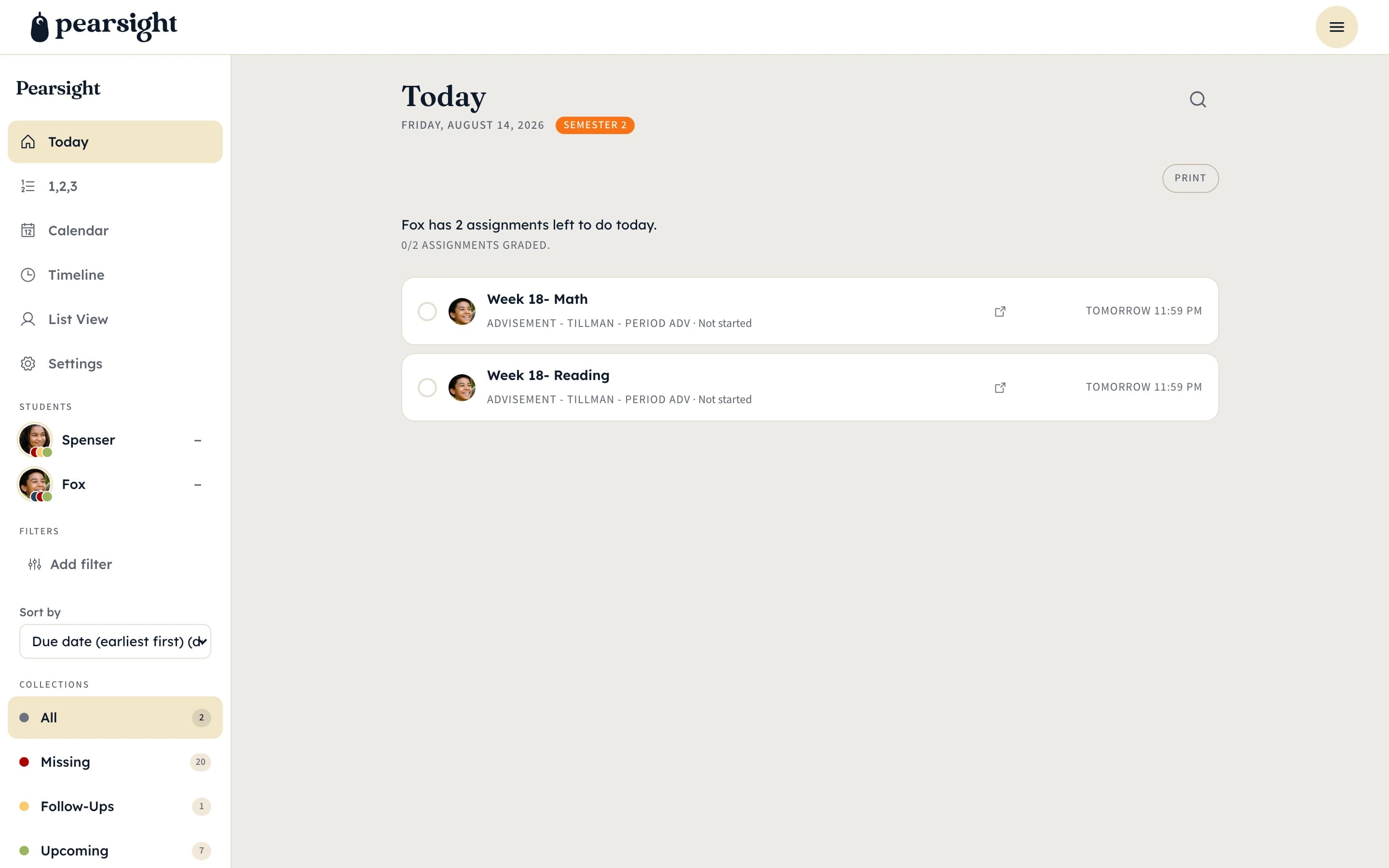
Today
What needs attention before bedtime.
The default landing collection. Anything due today, anything started but not finished, anything you’ve flagged for your kid to look at tonight — it surfaces here first.
Open the dashboard at 6:30pm. Glance at Today. Have a quiet homework conversation. That’s the loop.
Missing & Follow-Ups
The two collections you keep an eye on weekly.
Missing pulls every assignment Canvas thinks is overdue without a submitted answer. Follow-Ups pulls everything you’ve flagged as “Email Teacher” or “Redo Needed” so you don’t lose track of work-in-flight.
These two collections are designed for the Sunday-night sweep — when you sit down for ten minutes and tie up loose ends from the week.
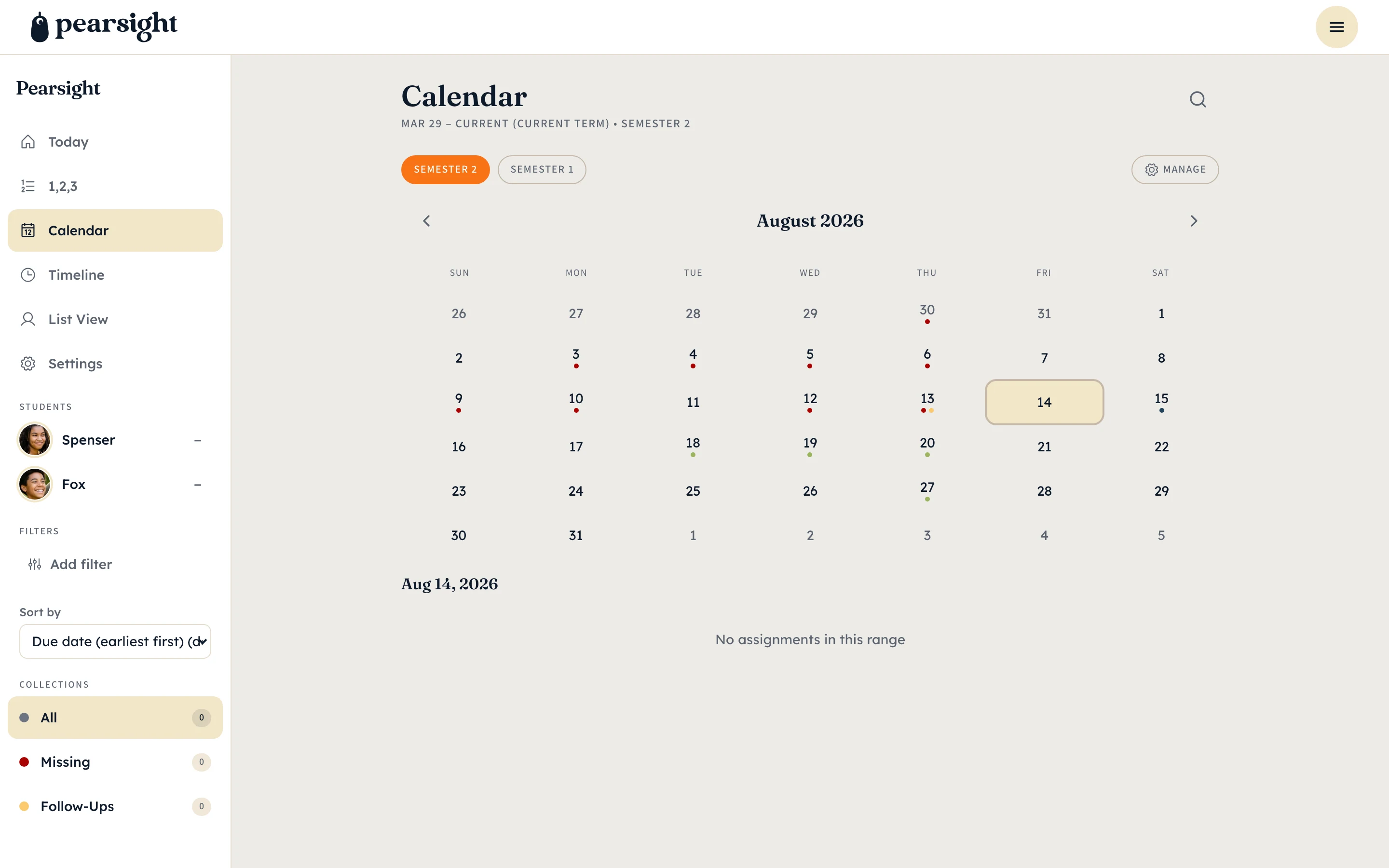
Calendar & Timeline views
The same data, three different shapes.
Switch from the collection view to a Calendar view to see the week visually. Switch to Timeline to see the next two weeks laid out chronologically. Switch back to collections to act on individual assignments.
Filters — by kid, by class, by status, by term — carry across every view. You set them once and the rest of the dashboard respects them.
More walkthroughs: the status workflow · multi-kid families · back to overview